
Bookkeeping and accounting software
Best Accounting Software for Freelancers in 2026: 7 Options Compared

CEO · Aug 10, 2026
Heidi DeCoux is the founder of Cashflowy, an AI-powered bookkeeping platform, and has worked with thousands of self-employed professionals to simplify finances and improve profitability.

The best freelance accounting software choice depends on how you earn, bill clients and manage your books. Cashflowy fits U.S. service freelancers and self-employed individuals who want automated bookkeeping and human help. FreshBooks suits time-based client work, QuickBooks Solopreneur includes mileage and Schedule C organization, while Wave and ZipBooks have useful free starting points.
This guide compares seven bookkeeping and accounting software options for self-employed freelancers, sorted by the work they handle, cost and the type of freelance business each one suits.
What is freelance accounting software?
Freelance accounting software helps independent professionals track income, record business expenses, reconcile bank activity, send invoices and produce tax-ready reports. The tool choice depends on whether you also need time tracking, mileage, multi-currency, human bookkeeping support or more advanced reporting.
Most freelance accounting software is cloud-based so that you can access records anytime, anywhere. Connected bank accounts import transactions, while you, a bookkeeper and a tax professional work from the same clean data (if the plan supports multi-user access).
Tax prep, tax filing and personalized tax advice are usually separate. An accounting platform or tax tool may organize records or show quarterly tax estimates, but it won’t tell you exactly what you owe.
Is free accounting software or a spreadsheet enough?
Not for long. The IRS allows any record-keeping system suited to your small business as long as it clearly shows income and expenses. A spreadsheet can work when you have one bank account, a handful of monthly transactions and a consistent update habit.
Free accounting software is a better starting point, with reports and a bank connection.
A paid system may be the better starting point if…
- Your income is irregular
- You use several accounts (credit cards and bank accounts) or payment processors
- You have your business and personal finances blended together and need to separate them out
- You’re never sure what you can safely pay yourself or what to set aside for taxes or where your cash is going
The right accounting software keeps your books current, showing your cash flow, suggested owner’s pay and estimated tax set-aside, and ideally giving you access to a human bookkeeper when you need help. Starting well-organized early can also prevent a costly cleanup once transactions pile up.
How we evaluated freelance accounting software
We reviewed each tool’s current offering, keeping the needs of freelancers, independent contractors and one-person service businesses front of mind.
We compared how well each product handles the workflows explained below, from bank reconciliation and expense tracking to invoicing, reporting and cash-flow planning. We also checked plan limits, accountant access, human bookkeeping support, add-on costs and the main trade-off before signing up.
We gave more weight to features that reduce recurring manual work and are included in a realistically usable plan.
Which accounting features matter most to freelancers?
Although some core accounting features for freelancers overlap, you should also consider your individual situation: do you just issue four invoices a month, or do you need to keep track of multiple clients and mileage?
- Bank feeds and reconciliation: A bank feed imports transactions. Bank reconciliation checks that the activity recorded matches the bank account data. If you use a business bank account, a business credit card and PayPal, check how many connections the plan supports. Otherwise, every transfer or credit card transaction may require manual review or data entry.Tip: Keeping business and personal activity separate makes tracking expenses much easier. Software can help classify a transaction, but it can’t fix a mixed account without your constant input.
- Invoices, payments and outstanding balances: Basic invoicing is standard, but you'll see different client limits, recurring invoice options, automatic payment reminders, deposits, retainers and payment processing fees. If you bill by the hour, look for a direct time-to-invoice workflow. Consider how you’ll manage invoices after sending them. Good invoicing software can show when clients pay invoices, which ones remain open and whether a partial payment came through.
- Expense tracking and receipts: Automatic transaction categorization reduces sorting work, but it still needs review. If you're keen on receipt scanning capabilities, check the receipt limit and whether software extracts details and categorizes spend. Logging deductible expenses consistently can make tax season easier; just note that it's not definitive tax advice.
- Reports and tax-ready records: At minimum, the system should produce a profit and loss statement and a clear transaction record. A balance sheet, general ledger and downloadable financial statements make it easier to share information with a tax professional. Some software organizes income and deductible expenses or provides automatic Schedule C categorization. Others show tax set-aside advice or quarterly tax estimates. These functions support tax time planning, but calculating your final tax bill and filing the return are separate services.
- Cash flow and current decisions aid: A profit and loss statement shows whether income exceeded expenses over a period. Net income is useful for understanding performance, while cash flow shows the money available now. If irregular income is your main concern, look for invoice status, account balances and a short-term forecast. Plain-English explanations also help when you get headaches from accounting reports.
- Support and room to grow: Product support helps you use the software. Bookkeeping support helps resolve questions about the records. Some vendors charge separately for expert help. Client limits, invoice caps, extra users, multi-currency, sales tax and project tracking can raise the final cost. Small business owners who eventually plan to add employees, inventory or several entities may need broader accounting software than a solopreneur-first product provides.
How to choose accounting software that fits your business
Here are the top tools that made our list, considering the criteria above.
| Your business | Best place to start | Why | Free option | Price |
|---|---|---|---|---|
| You sell services, have irregular income, don’t know what to set aside for taxes or what to pay yourself, and need help to know where your money is going | Cashflowy | Automated bookkeeping, current cash flow, Clara AI and human bookkeepers are included. You'll always know what to pay yourself and be ready for taxes. | 7-day free trial | $39, one price for all features and unlimited support |
| You drive frequently, want Schedule C-oriented organization, understand accounting terms, and don’t mind doing regular manual input | QuickBooks Solopreneur | Automatic mileage tracking, receipts, invoices and tax-oriented records sit in one mobile workflow | 30-day trial | From $20/month |
| You bill by the hour or manage client projects | FreshBooks | Built-in time tracking, projects and client billing stay connected | Yes | From $23/month |
| You need free invoicing and basic records | Wave | Starter includes unlimited invoicing, estimates, bills and bookkeeping records | Yes | From $19/month |
| You work across currencies or expect to connect several specialist apps | Xero | Multi-currency and project tracking features; the app marketplace extends the system | 30-day trial | From $29/month |
| You want customizable projects, client management and accounting automation | Zoho Books | Higher plans add projects, timesheets, workflow rules and multi-currency | Yes | From $20/month |
| You want a free invoicing tool with one connected bank account | ZipBooks | Starter includes one bank connection, unlimited invoices and basic reports | Yes | From $15/month |
7 best accounting software options for freelancers
Let's explore these in more detail.
1. Cashflowy: best for automated bookkeeping with unlimited human support
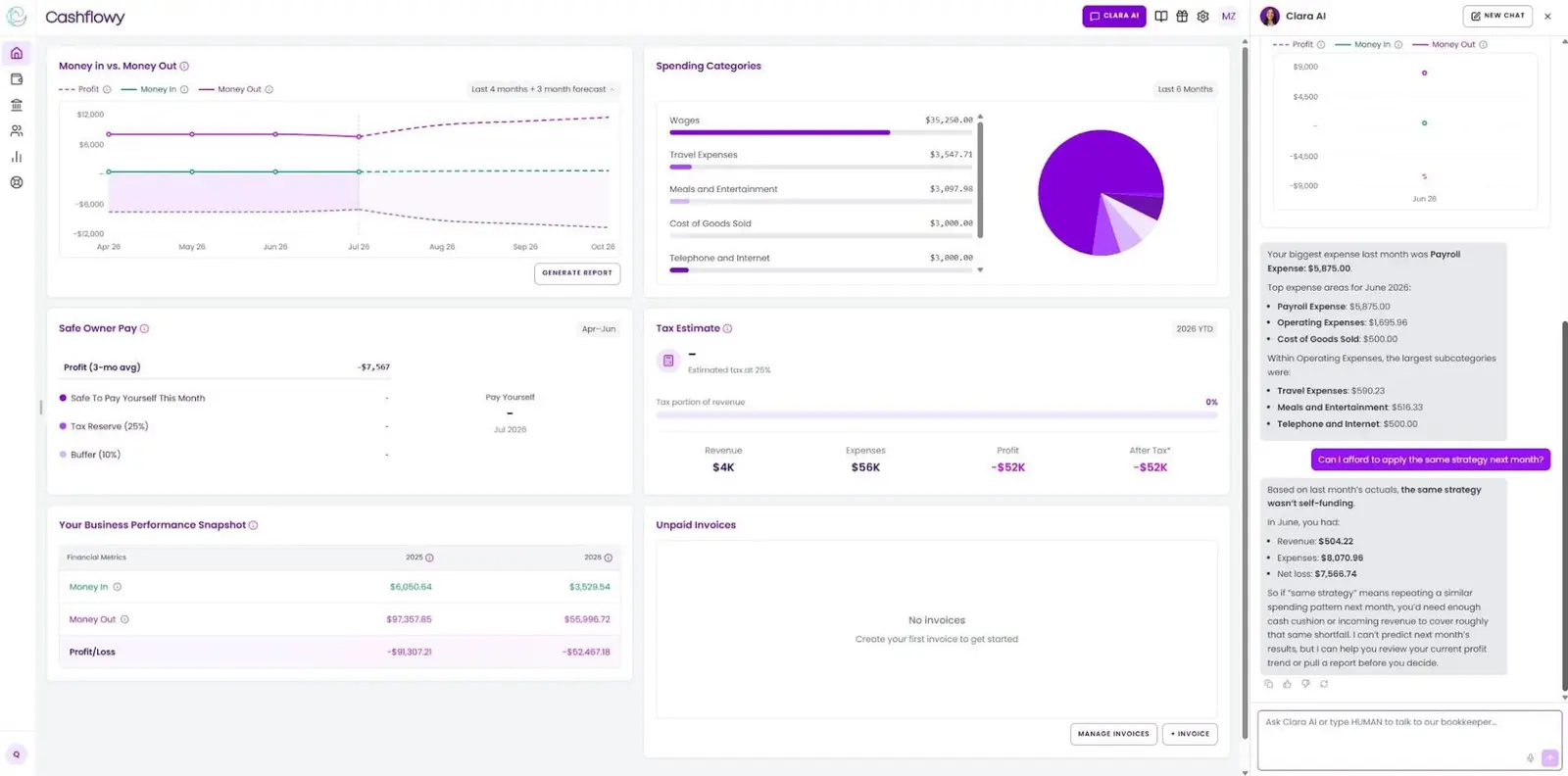
Cashflowy is an automated bookkeeping and financial coaching platform created for one-person service businesses. Setup takes just 6 minutes—connect your bank accounts through Plaid and let Cashflowy import, categorize and reconcile transactions. It works with over 12,000 financial institutions, including PayPal, Gusto and Wise connections through Plaid, which provides bank level security, and is a closed system that never shares your data.
The dashboard gives you a clear view of your income, business expenses, profit and cash flow, helping you understand what’s happening across the business without manually maintaining a spreadsheet. You can export this information anytime you need or invite anyone you need to share financial information with—for free, with the level of access you want. Cashflowy also lets you issue branded invoices and make client payments.
You also get access to Clara AI, a 24/7 financial coach trained on your account data. Ask what you spent on software, which invoices remain unpaid or how revenue changed. Live chat and unlimited private meetings with human bookkeepers are included at no extra charge if AI help is not enough.
Cashflowy gives you a 90-day cash flow forecast, suggested owner’s pay and an estimated tax set-aside. Although we don’t provide personalized tax advice, prepare returns or handle tax filing, you'll always be ready for tax season with an appropriate tax budget.
“What I was paying for bookkeeping before was $410 a month. What I'm paying now is a beautiful reduction in costs, which increases my profitability. Cost went down greatly, and my understanding of my own money went up. I use it 10 minutes a month, and I'm learning more about how bookkeeping and accounting work. I'm more connected to my own money and business, and I have a better understanding of everything.”
Caryn Gillen, sales coach for coaches
Main trade-off: Cashflowy is only for U.S. solopreneurs running service businesses. It doesn’t include built-in time tracking, W-2 payroll, physical inventory, e-commerce integrations and tax preparation and filing is a separate add-on service.
Plan: Cashflowy is $39/month for all features, unlimited viewers and expert human support. Start my free trial.
2. QuickBooks Solopreneur: best for mileage and Schedule C organization
Source: PCMag
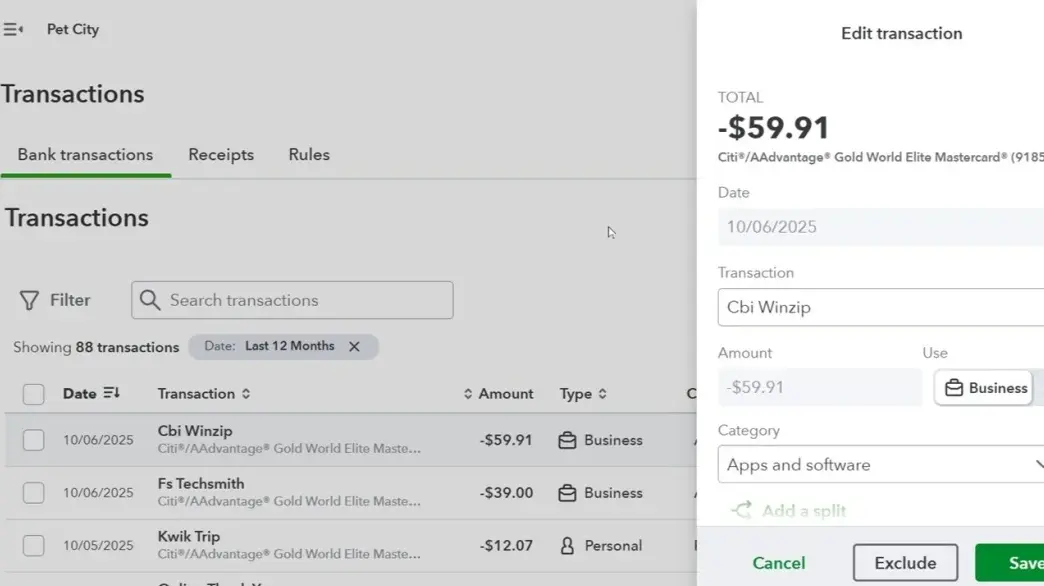
QuickBooks Solopreneur is Intuit’s one-person-business product that tracks income and expenses, separates business and personal activity, captures receipts, handles mileage tracking and supports estimates, invoices and online payments. It can also organize payments to 1099 contractors.
The free option gives you two invoices and receipt uploads per month, five mileage trips and one contractor. Upgrading to paid removes most of these limits and raises the number of contractors. The product also provides automatic Schedule C categorization, but this doesn’t replace a review by your tax professional. Assisted tax prep with TurboTax is available separately.
Freelancers who need accountant access and broader accounting features will need to move to the more costly QuickBooks Online.
Main trade-off: The free plan is useful for a micro business, but an active freelancer can hit the monthly limits quickly. Payroll and broader business tools are in QuickBooks Online or separate services.
Plan: Free to start, then from $20/month.
See also: QuickBooks alternatives for solopreneurs.
3. FreshBooks: best for hourly and project-based billing
Source: SoftwareSuggest
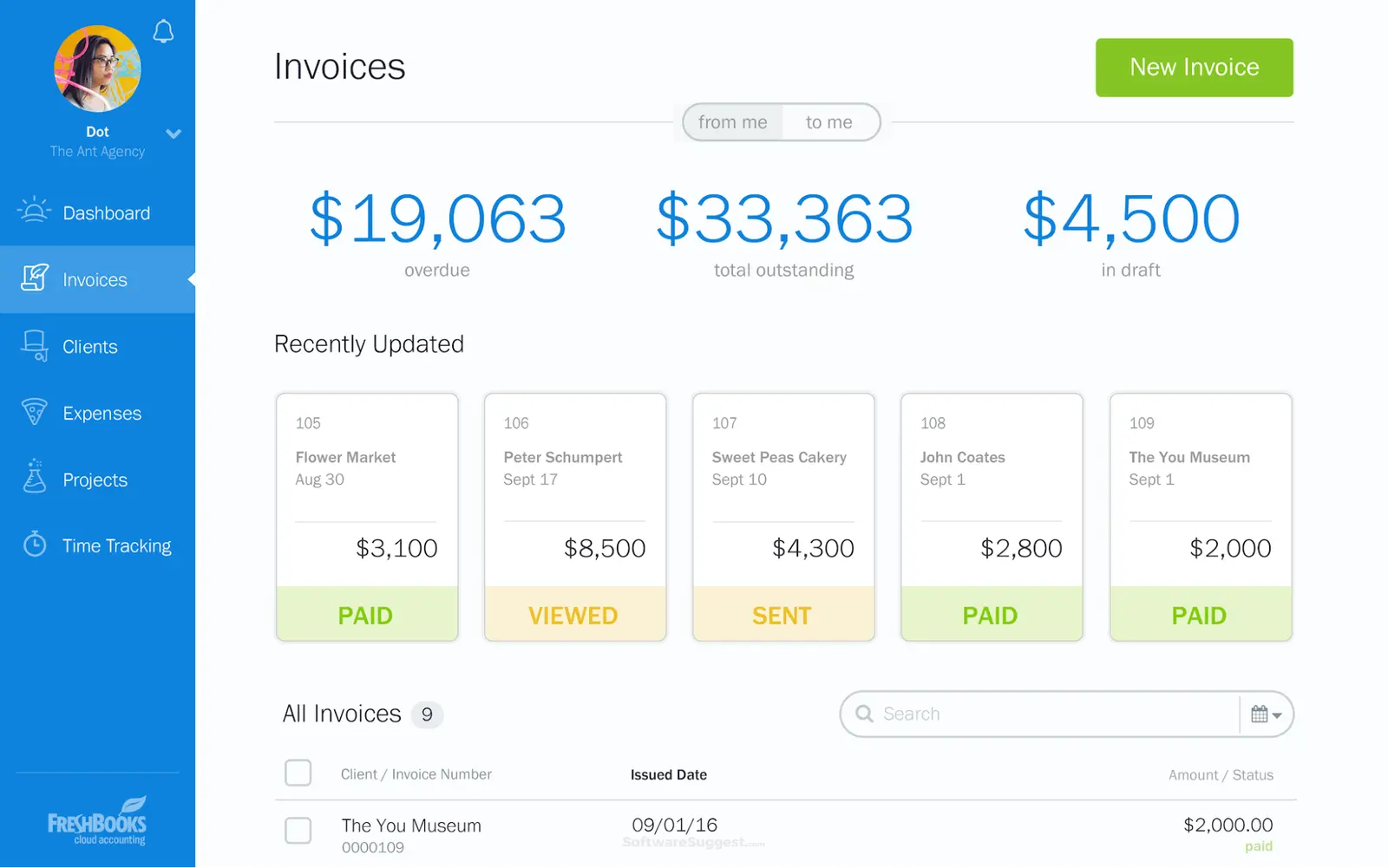
FreshBooks combines invoicing software with client management and double-entry accounting. It has built-in time tracking for clients and projects; you can turn those entries into invoices, collect online payments and see what remains outstanding.
Other features include estimates, proposals, recurring invoices, expense and financial reports. Automatic payment reminders help you follow up on overdue invoices. FreshBooks keeps client details, project activity, time entries and tracking payments connected.
Lite supports five billable clients, Plus allows 50 and with Premium you get unlimited clients. Receipt scanning, deeper financial reporting and accountant access are in Plus and above.
Main trade-off: Freelancers with multiple clients can outgrow Lite quickly, while businesses that don’t bill by time or project may find themselves paying for workflows they rarely use.
Plan: A 30-day trial is available, then from $23/month.
See also: FreshBooks alternatives for solopreneurs.
4. Wave: best manual basic bookkeeping and invoicing
Source: Software Advice
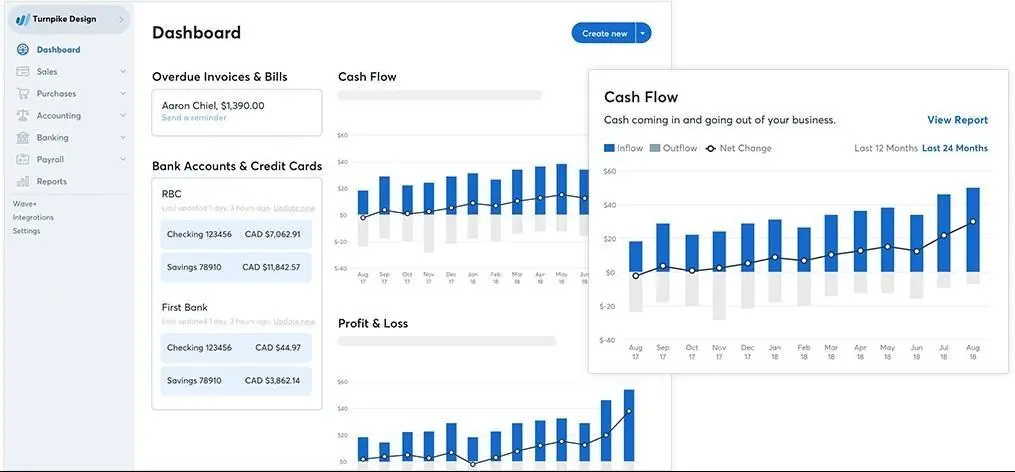
Wave Starter is free bookkeeping software with unlimited invoicing, estimates, bills and bookkeeping records. You can manually create invoices in the mobile app, accept online payments (with a transaction fee), view cash flow and scan receipts.
A Starter (free) user can upload statements and maintain records via manual data entry, but they will still have recurring sorting work on their hands. Things like automatic bank transaction imports, merging and categorization, digital receipt capture and late-payment reminders are in Pro.
Main trade-off: The free plan covers core records and free invoicing, but it's still a self-managed workflow. Once you want automated bank feeds, receipt scanning or more help with the books, compare the paid Wave plan with other options.
Plan: Free Starter plan, Pro from $19/month.
5. Xero: best for growing businesses and international client work
Source: Coupler.io
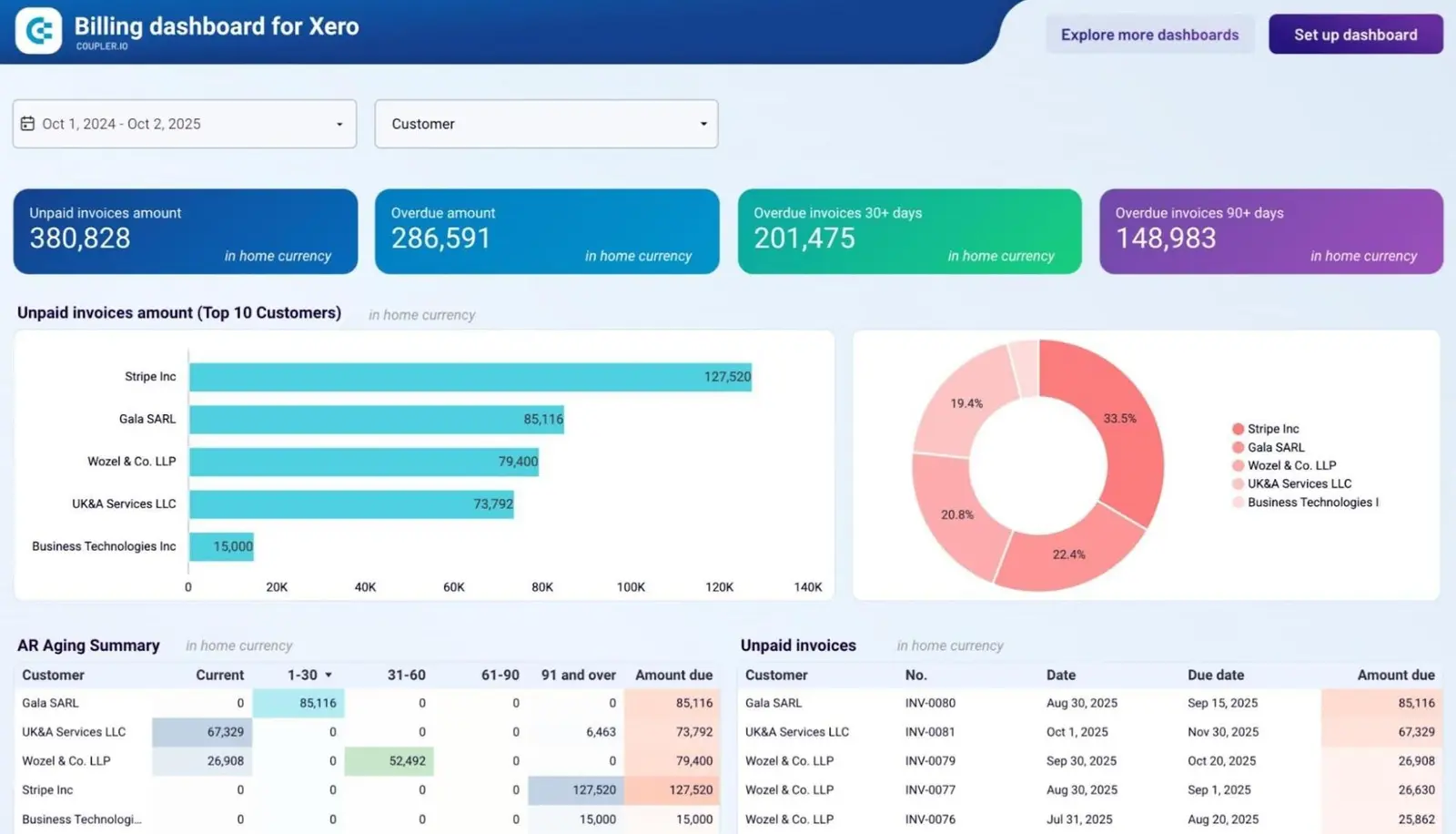
Xero is a real double-entry accounting system with invoicing, online payments, bank reconciliation, bills, financial statements, W-9 and 1099 management and sales tax. Plans don’t charge per user, which gives you multi-user access without adding a separate subscription for a collaborator.
The Starter plan limits you to 20 invoices and five bills. Standard adds automated bill entry, auto-reconciliation, a 60-day cash flow forecast and more performance tools. Premium adds multi-currency, KPI analysis and a 180-day forecast.
Xero has a large app marketplace that lets you connect it to payment processing, payroll, time tracking, reporting and other specialist tools, as your business evolves.
Main trade-off: Many features that make Xero attractive to international or project-based freelancers are on higher tiers. The multitude of settings and integrations can create more setup work than a one-person business needs (or has time for).
Plan: Free for 30 days, then from $29/month. Mileage claims, time tracking and project cost management are available as paid add-ons.
See also: Xero alternatives for solopreneurs.
6. Zoho Books: best for configurable accounting and project workflows
Source: Zoho
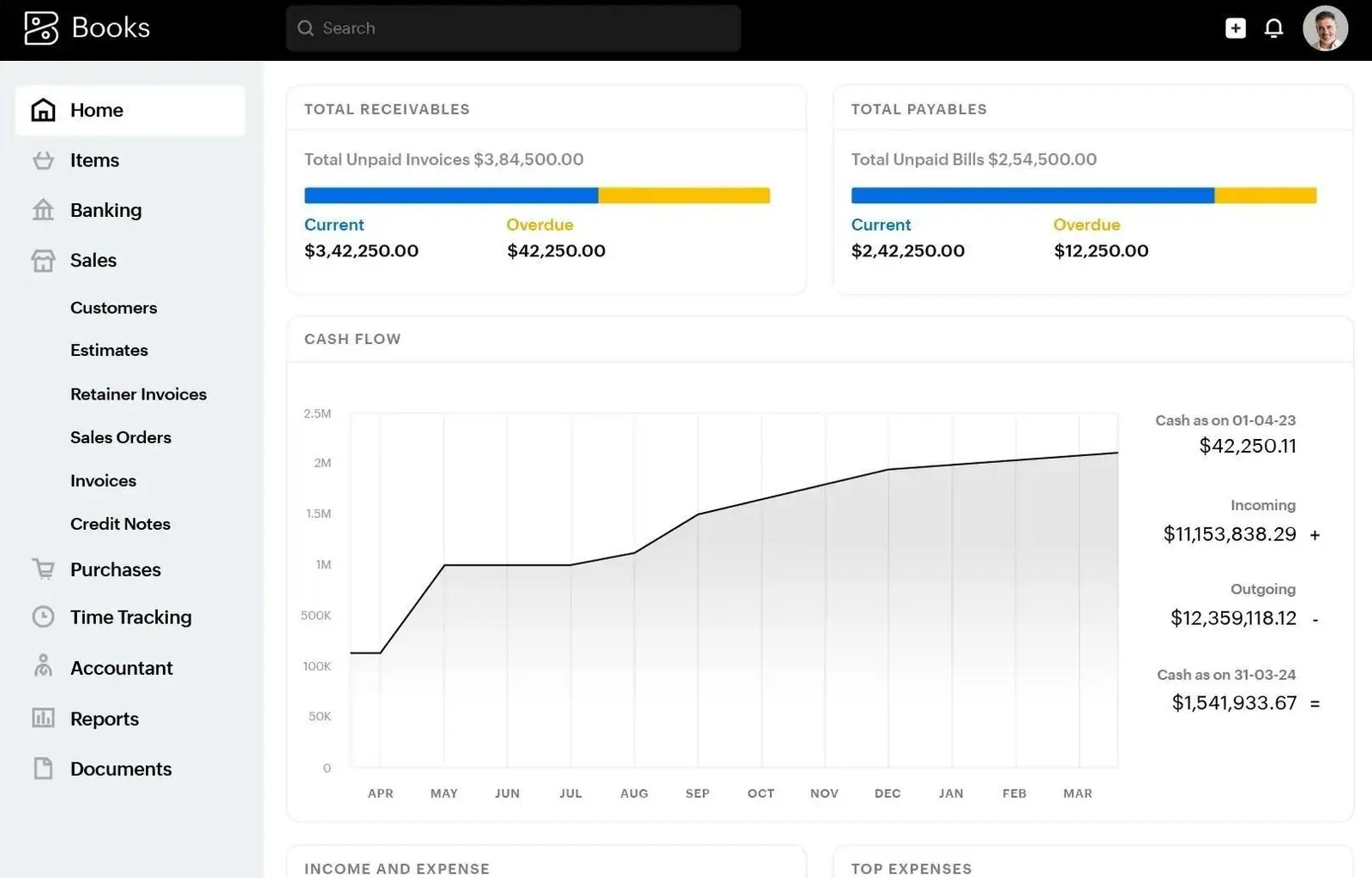
Zoho Books handles quotes, customizable recurring invoices, automatic payment reminders, expenses, mileage, bank reconciliation and financial reports. If you're interested in the full Zoho product family, you can connect this accounting platform with their CRM tool, expense management or inventory system.
Zoho offers a free plan for one user and one accountant, up to 1,000 invoices and 1,000 expenses per year, bank reconciliation, transaction rules and 50 monthly receipt autoscans.
Project management, timesheets, multi-currency and project profitability are in Professional and above. Workflow rules are limited by plan; custom approvals require Premium or higher.
Main trade-off: Zoho Books gives you plenty of control, but takes time to understand. A freelancer can start free, then discover that the specific project tracking or automation workflow they wanted requires moving up several tiers.
Plan: Basic free plan, then from $20, with prices reaching up to $275 monthly.
7. ZipBooks: best for basic free invoicing with one bank connection
Source: Google Workspace
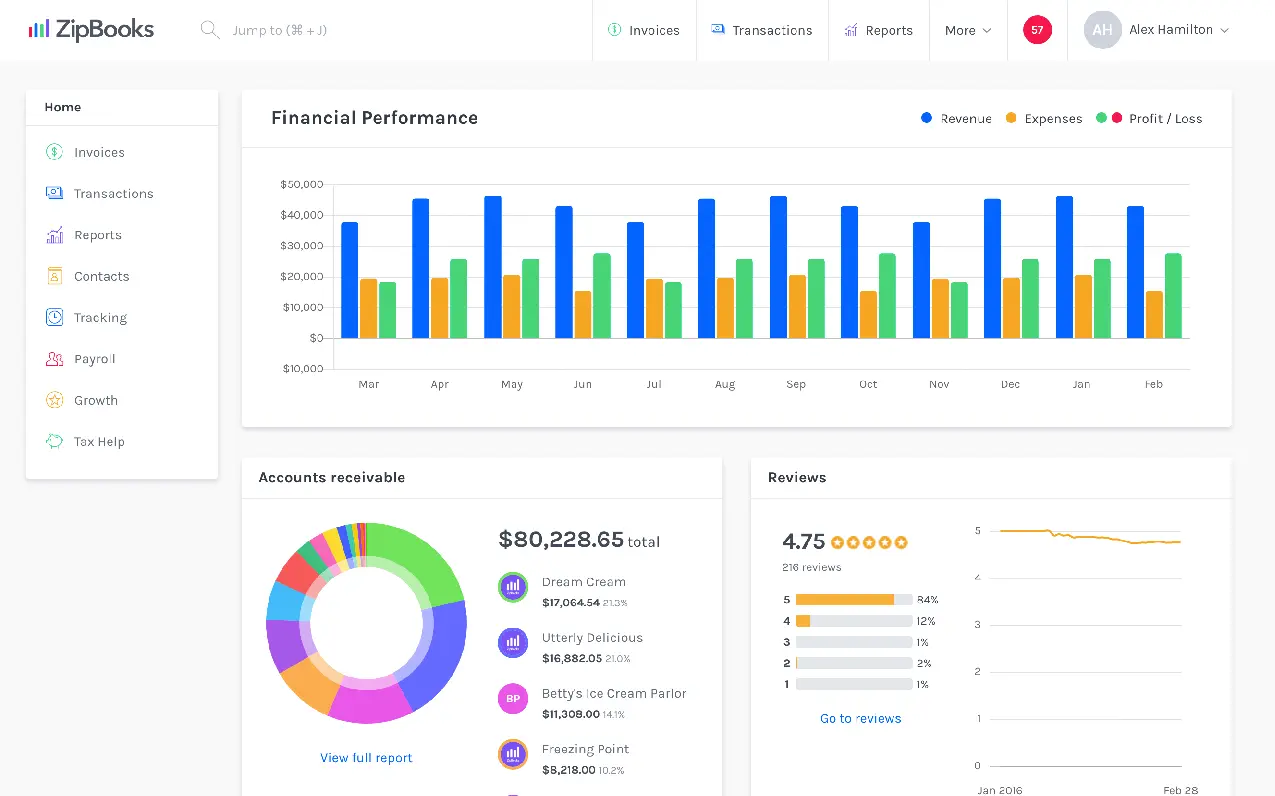
ZipBooks lets you send unlimited invoices, manage any number of customers and vendors, accept digital payments through Square or PayPal, view basic reports and connect one bank account. It’s a practical step up from an invoice template or spreadsheet, useful when you need an affordable way to manage one bank account and unlimited client billing.
If you need the option to set up recurring invoices, automatic payment reminders, multiple bank connections, time tracking and invite more team members, you'll need the Smarter plan. The Sophisticated tier adds smart tagging, bank reconciliation, locked books, more detailed reports and unlimited user invites.
Main trade-off: The free plan is quite limited in terms of features or helping you understand your books. If you need a stronger bookkeeping workflow, you'll still need to pay; a freelancer looking for multi-currency or deeper reporting may outgrow the product entirely.
Plan: Free Starter plan, then from $15/month.
Choose a system that matches your work
Most self-employed professionals need dependable records first. Choose one system that can track income, organize deductible expenses, reconcile accounts and produce reports you can easily share at tax time.
Cashflowy fits a U.S. one-person service business that wants automated bookkeeping, understandable cash flow, plus unlimited AI bookkeeping tools and human help to make sense of it all, including what to pay yourself and how to stay profitable. QuickBooks Solopreneur can be good for mileage tracking and Schedule C organization. FreshBooks handles time-based client billing well while Wave and ZipBooks have solid free starting points. Xero and Zoho Books suit international businesses that need configurable workflows.
Click here to start your free Cashflowy trial. Take just two minutes to connect your accounts, and always see where your business stands (and how to grow it).
Frequently Asked Questions
What's the difference between freelance bookkeeping software and accounting software?
Can accounting software track income from multiple clients and payment platforms?
Can freelance accounting software help with estimated taxes?
Do I still need a bookkeeper or tax professional if I use accounting software?
Keep reading

Accounting Software for Real Estate Agents: 9 Tools Compared
Compare 9 accounting software options for real estate agents. See how each handles commission splits, mileage, tax readiness and financial reporting.

Most Practical Self-Employed Accounting Software, Bookkeeping and Finance Tools
Compare the best accounting software and bookkeeping tools for the self-employed. See features, limitations, and which option fits your business.

QuickBooks for Real Estate Agents: What It Handles, What It Misses
See how QuickBooks for real estate agents handles commissions, expenses and taxes, which plan works for you and when you may need another tool entirely.