
Bookkeeping and accounting software
Xero vs Wave: 2026 Comparison (And a Smarter Option You Haven't Considered)

CEO · Mar 19, 2026
Heidi DeCoux is the founder of Cashflowy, an AI-powered bookkeeping platform, and has worked with thousands of self-employed professionals to simplify finances and improve profitability.
Every business starts somewhere. For a lot of them, that somewhere is Wave. A brand-new freelancer, a side hustle getting its first paying client, a small operation that needs invoices and basic bookkeeping but can't justify a monthly software bill just yet. Wave exists for that moment, and it serves it well. The free tier is genuine, the setup is fast, and there's something quietly powerful about a tool that removes the financial barrier to professional accounting entirely.
But businesses don't stay in that moment forever. They grow, or they try to. They add clients, hire help, work across borders, need reporting that goes beyond a basic profit and loss. And at some point, often gradually and then all at once, they notice that the tool they outgrew is still the tool they're using.
That's where Xero tends to enter the story. Not as a replacement for something broken, but as the next chapter for a business that has grown past its first tool. Xero is what accounting software looks like when it's built for a business with real operational complexity, a team that needs access, and growth ambitions that require infrastructure rather than a workaround.
The short version: Wave fits you if you're running a lean operation in the US or Canada, your financial needs are still straightforward, and free is not just a preference but a genuine requirement. Xero fits you if you've grown past Wave's ceiling, need unlimited users at a flat rate, want 1,000-plus integrations, operate internationally, or require the depth of reporting and multi-currency support that a scaling business demands. And if you're a solopreneur who finds both platforms either too free or too much, and what you really want is a straight answer about whether your business is financially healthy, there's a third option called Cashflowy that addresses that question directly.
Benefits for Small Businesses
For small business owners, choosing the right accounting software can make all the difference in managing day-to-day finances and supporting long-term growth. Wave accounting stands out as a top choice for very small businesses, freelancers, and service-based entrepreneurs thanks to its combination of unlimited invoices, essential features, and a reasonable price—often free.
Wave’s invoicing software makes it easy for small businesses to create and send professional invoices in just a few clicks. With unlimited invoices included even on the free plan, there’s no need to worry about hitting monthly limits or paying extra as your client list grows. This flexibility is especially valuable for service businesses and freelancers who need to send invoices regularly and keep cash flow steady.
Managing inventory, while not as advanced as in some platforms, is straightforward enough for very small businesses that need to keep tabs on a limited range of products or services. For those who require more robust inventory management, Xero offers advanced features and inventory tracking, but for most micro-businesses, Wave’s simple approach is often sufficient.
One of Wave’s biggest advantages is its seamless integration with bank accounts. This feature automates much of the bookkeeping process, reducing manual data entry and helping small business owners keep their records accurate and up to date. Wave also offers competitive payment processing fees, making it easy and affordable to accept online payments from clients—an essential capability for modern small businesses.
When comparing Xero vs Wave, it’s clear that Wave is designed for simplicity and cost-effectiveness. While Xero offers multi-currency support, double entry accounting, and a suite of advanced features for growing businesses, Wave’s basic features are more than enough for most small businesses just starting out or operating on a tight budget.
Wave’s mobile device compatibility means you can manage your business finances from anywhere, whether you’re sending invoices on the go or checking your cash flow between meetings. The built-in receipt scanning feature further streamlines expense tracking and tax preparation, saving valuable time and reducing the risk of missing deductions.
Ultimately, Wave accounting software empowers small business owners to focus on what matters most—growing their business—by simplifying invoicing, payments, and bookkeeping at a cost that fits even the leanest budgets. For those weighing Xero vs Wave, Wave remains the preferred choice for small businesses seeking an easy, affordable, and effective accounting solution.
Xero vs Wave 2026 Comparison and a Smarter Option You Haven't Considered: What is Wave?
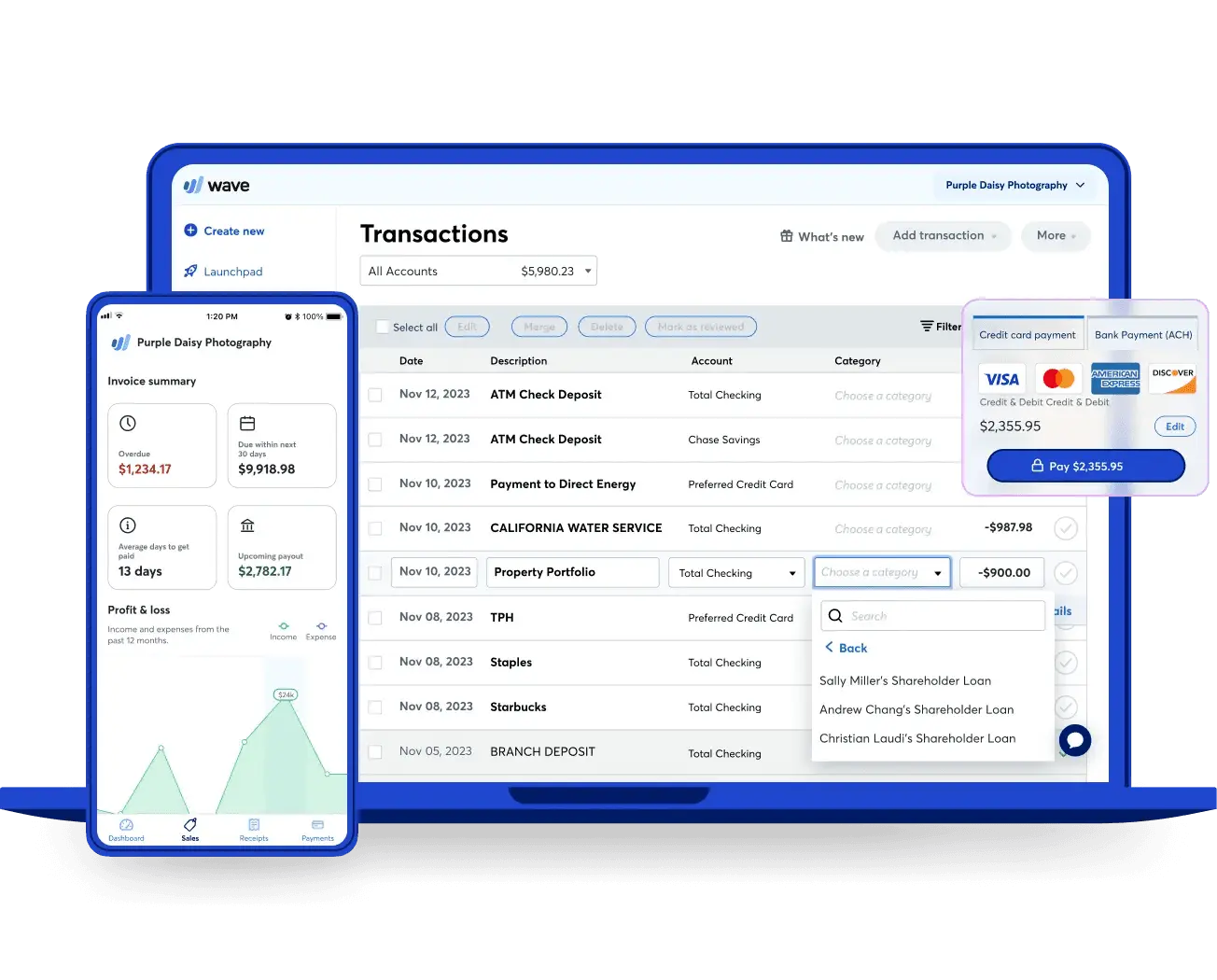
Wave is free accounting software, and that sentence is the beginning and end of its most important positioning. Built in 2010 and acquired by H&R Block in 2019, Wave has never tried to be the most powerful accounting tool on the market. It has tried to be the most accessible, and on that dimension it has largely succeeded.
Wave is a free accounting tool made for freelancers, solopreneurs, and tiny businesses, and is often recommended for freelancers and very small businesses due to its free pricing model.
The business model is simple and honest: core accounting and invoicing are permanently free. Revenue comes from payment processing fees—typically 2.9% plus $0.30 per transaction—and payroll subscriptions, with payroll services as an additional cost. For the right kind of business at the right stage, that model delivers genuine value at zero cost.
Core features include unlimited invoicing with customizable templates, income and expense tracking, double-entry bookkeeping, basic financial reports covering profit and loss, balance sheet, and cash flow, bank reconciliation on both plans, receipt scanning, accountant access on the Pro plan, and a payroll add-on for US and Canadian businesses. Wave also allows users to accept payments easily through its invoicing features.
Wave’s integration landscape is deliberately narrow: Shopify, PayPal, Etsy, and Zapier natively, with Zapier unlocking indirect connections to a much wider ecosystem at the cost of an additional subscription and added complexity. For simple operations, that’s enough. For anything more connected, it’s a constraint. Wave is famous for being completely free, allowing users to create unlimited invoices and manage accounting without paying a cent.
Wave’s pricing structure is one of its significant advantages over Xero, as it is always free with no hidden expenses, and many users appreciate Wave's free pricing structure and its simplicity for basic accounting needs.
What Is Xero?
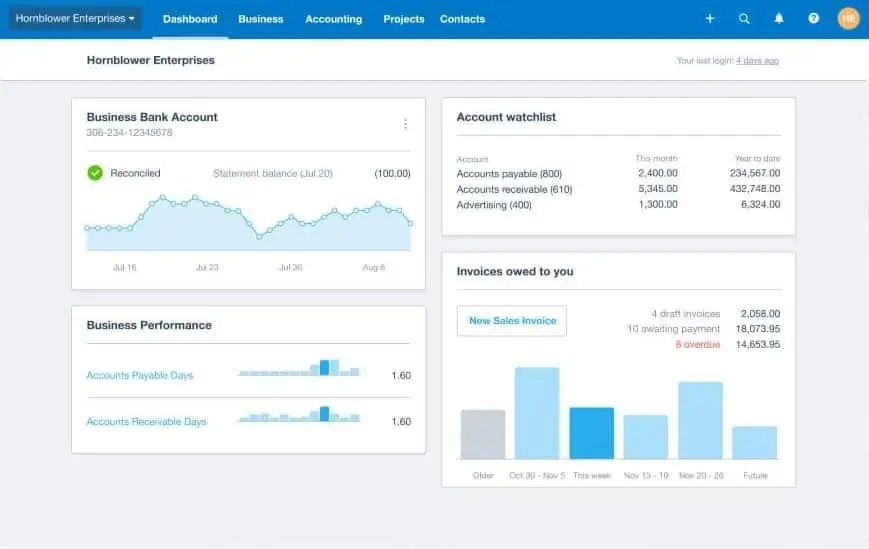
Xero launched in New Zealand in 2006 with a premise that still distinguishes it today: accounting software should be beautiful, modern, and designed for the way small businesses actually work. Its tagline is “Beautiful business,” and that aesthetic philosophy runs through everything from the interface design to the API architecture that has made it a favorite among developers building integrations.
Xero is a paid platform known for its advanced features and is highly rated for larger needs and growing teams. It provides scalable solutions for businesses that are expanding, making it especially suitable for organizations that require more robust automation and advanced capabilities.
Core features include full double-entry accounting on all plans, bank reconciliation with custom bank rules, unlimited invoicing on Growing and Established plans, accounts payable and receivable, inventory tracking on Growing and Established, Hubdoc for automatic bill and receipt capture on all plans, project tracking and expense claims on the Established plan, multi-currency support on the Established plan, and payroll via Gusto integration for US businesses. Xero's subscription plans provide access to advanced features not available in Wave, including advanced inventory features and project tracking for growth. Xero is also developing JAX, an AI assistant designed to make accounting tasks more conversational, though it is not yet fully deployed.
Xero pros include powerful accounting features such as automatic bank reconciliation, multiple user permissions, and comprehensive reporting capabilities—including the ability to generate and print 55 distinct reports.
Where the Real Comparison Lives
The Price Chasm and What It Actually Buys
The cost difference between these two platforms is not a nuance. Wave is free at its core. Xero starts at $25 per month. That gap is real, and for a business where every fixed cost matters, it deserves to be taken seriously rather than minimized.
But the gap between free and $25 per month is not the same as the gap between capable and limited. Wave's free tier includes genuine double-entry accounting, bank reconciliation, unlimited invoicing, and the core financial reports most small businesses need. For a lean operation with simple finances, that's not a compromise. It's a complete product.
The paywalls arrive in specific places. Automatic bank transaction imports require Wave Pro at $16 per month. Accountant access requires the Pro plan. Automated payment reminders require the Pro plan. On the free Starter tier, you're entering transactions manually and doing more administrative work than users of most paid tools.
Xero's $25 per month Early plan includes automated bank feeds, bank reconciliation with custom bank rules, Hubdoc for automatic bill and receipt capture, and the full accounting depth available across all Xero plans. It also limits you to 20 invoices and 5 bills per month, which is the most significant constraint on the entry tier and a real problem for any business sending more than a handful of invoices monthly. The Growing plan at $55 per month removes those limits entirely and is where most active small businesses actually land.
Unlimited Users: The Feature That Reshapes the Pricing Conversation
Xero’s unlimited user model does not make headlines, but it quietly determines who wins the cost comparison the moment a business has more than one person involved.
Wave Pro includes unlimited users at $16 per month. That’s genuinely competitive. Xero Growing includes unlimited users at $55 per month. For a team of three or five or ten, both platforms let everyone in at the same flat rate. That structural similarity matters when comparing these two, because neither platform charges per seat the way QuickBooks does. Xero is particularly well-suited for growing teams that need scalable accounting infrastructure as their business expands.
The difference is what those unlimited users get access to. On Wave Pro, everyone accesses the same basic bookkeeping and invoicing tools. On Xero Growing, everyone accesses a full accounting platform with comprehensive reporting, custom bank rules, Hubdoc automation, inventory tracking, and 1,000-plus integrations. At $39 per month more, Xero Growing is not just buying more users. It’s buying a fundamentally different level of financial infrastructure.
Reporting Depth
This is where the gap between the platforms becomes practically significant for businesses beyond the early stage.
Xero includes 55-plus reports across its plans, covering profit and loss, balance sheet, cash flow statements, accounts receivable and payable aging, general ledger, trial balance, budget variance analysis, and more. The Established plan adds customizable dashboards, financial health scorecards, and 180-day cash flow forecasting with scenario modeling. For a business and its accountant who need to understand the finances with precision, Xero delivers that across every plan tier.
Wave covers 12 standard reports. Profit and loss, expense summaries, cash flow, accounts receivable aging. They're clean, readable, and adequate for basic tax preparation and business monitoring. They are not adequate for a business with real complexity or a CPA who needs anything beyond the standard statements. Wave also lacks meaningful budget tracking and the kind of customization that lets you slice financial data by project, department, or any other dimension.
International Capabilities
This one is binary and matters enormously for the right business.
Xero's Established plan handles transactions in over 160 currencies with automatic exchange rate updates, foreign currency bank account reconciliation, and clean reporting across multiple currencies. For any business that invoices internationally, pays vendors in foreign currencies, or simply wants to work with clients outside North America, Xero has the infrastructure to handle it.
Wave stopped accepting new international accounts in November 2020. If your business operates outside the US or Canada, Wave is unavailable to you. Full stop. For any business with international dimensions, this closes the comparison before it opens.
Integrations
Xero connects natively with more than 1,000 third-party applications. Accounting integrations, payroll systems, ecommerce platforms, CRM tools, inventory management, project management, industry-specific apps. The Xero App Marketplace is one of the most developed in the category, and the API quality has made Xero a preferred platform for developers building business software integrations.
Wave connects natively with Shopify, PayPal, Etsy, and Zapier. For simple businesses that run on a short stack, that covers the essentials. For businesses that depend on a connected operational ecosystem, it's a constraint that Zapier can partially work around but never fully solve.
AI and Automation
Neither platform matches QuickBooks' Intuit Assist suite in 2026, but Xero is further along than Wave on every automation dimension.
Xero includes custom bank rules that automatically categorize recurring transactions, Hubdoc for hands-free bill and receipt capture, short-term cash flow forecasting on the Established plan, and JAX in development as a conversational AI assistant for accounting tasks. The automation is structural: it reduces the amount of manual work required to maintain clean books as volume and complexity grow.
Wave includes basic machine learning suggestions for transaction categorization on the Pro plan, which still require manual confirmation. There is no rule-based automation, no proactive financial intelligence, and nothing that meaningfully reduces the manual work of bookkeeping at scale.
For a business processing twenty transactions a month, this difference is invisible. For a business processing two hundred, it determines how much time bookkeeping consumes.
Customer Support
Neither platform has a phone support line, which places them in the same category on that dimension and distinguishes both from QuickBooks.
Xero provides 24/7 online support through its knowledge base, community forums, and ticket-based support. Response quality varies and reviewer sentiment is mixed, with complaints about slow resolution times for complex issues being common enough to be a real concern. The 250,000-plus partner accountant network effectively extends Xero's support ecosystem: when the platform itself is unresponsive, finding a Xero-certified accountant to help is rarely difficult.
Wave's support depends entirely on which plan you're on. Free Starter users receive no human support at all. A chatbot called Mave and a help center are the only options. Pro plan users unlock live chat and email support on weekdays during business hours, but verified reviews consistently describe multi-day response times for urgent issues. Wave's Trustpilot score sits at 1.3 out of 5 as of early 2026, driven substantially by reports of payment funds held without explanation and payroll errors following a processor transition in 2025 that went unresolved for extended periods.
For businesses where an accounting or payment crisis can trigger a cascade of other problems, the support difference between these platforms matters. Xero's support is imperfect. Wave's support on the free tier is nonexistent.
Pricing: The Full Picture
Wave (as of 2026):
- Starter: $0/month (unlimited invoicing, manual bank entry, basic reports)
- Pro: $16/month (automated bank feeds, receipt scanning, payment reminders, unlimited users)
- Payroll: $40/month plus $6 per active employee (US only, recent reliability concerns)
- Payment processing: 2.9% plus $0.60 per transaction (Starter); discounted rate for first 10 transactions monthly on Pro
Xero (as of March 2026):
- Early: $25/month (unlimited users, capped at 20 invoices and 5 bills per month)
- Growing: $55/month (unlimited users, unlimited invoices and bills, full accounting depth)
- Established: $90/month (everything in Growing, plus multi-currency, project tracking, expense claims)
- Payroll: Gusto integration from $40/month plus $6 per employee
Both platforms increase prices. Xero's entry-level plan has risen from $13 to $25 since 2021, and existing customers report price increases pushed through without meaningful new features. Wave's pricing model has also evolved, with features that were previously free, like automatic bank feeds, now sitting behind the Pro plan paywall.
Year 1 total cost of ownership (after promotional pricing expires):
| Scenario | Wave | Xero | Cashflowy |
|---|---|---|---|
| Solo, basic bookkeeping | Starter: $0/yr | Early: $300/yr | $348/yr |
| Solo + auto bank feeds + accountant access | Pro: $192/yr | Early: $300/yr | $348/yr (included) |
| Small team, unlimited invoices | Pro: $192/yr | Growing: $660/yr | $348/yr (unlimited users) |
| International business, multi-currency | N/A (not available) | Established: $1,080/yr | N/A (US only) |
The cost gap is real and honest: for a solo operator with simple needs, Wave costs nothing. Xero costs $300 a year at minimum. That's the decision for some businesses. For others, the $468 annual difference between Wave Pro and Xero Growing buys access to a fundamentally different level of financial infrastructure, and the question is whether that difference is worth it for where the business actually is.
Ease of Use
Both platforms are genuinely accessible, and both have built reputations on being less intimidating than QuickBooks. Both Xero and Wave are designed so that accountants and CPAs can easily work with the data, making collaboration and efficient financial management straightforward for business owners and their advisors. The comparison between them is closer than it looks.
Wave earns consistent praise for its minimal learning curve. The setup is fast, the interface avoids accounting jargon, and the dashboard gives you the essential picture without requiring any configuration. Reviewers describe it as something you can open, understand, and use productively within minutes. For business owners who approach accounting software with low confidence, that accessibility matters.
Xero has built its reputation around clean, modern design and has worked hard to make accounting terminology approachable, using terms like “invoices owed” rather than “accounts receivable” throughout the interface. For a platform with significantly more depth, it handles complexity gracefully. The learning curve is real but manageable, and new users who come in without existing accounting software habits often adapt quickly. Xero’s recently redesigned invoicing interface has drawn complaints from longtime users who preferred the classic version, though new users approaching the platform fresh tend to find it less objectionable.
Invoicing
Wave offers unlimited invoicing across all plans, including the free Starter tier. Its invoicing features include the ability to send invoices via email and create recurring invoices. Users report that Wave's invoicing process is straightforward and efficient, allowing for quick invoice creation and management. Customizable templates, drag-and-drop editing, recurring billing on the Pro plan, and automated payment reminders on Pro are also included. Both Wave and Xero allow users to accept payments directly through their invoices, making it easy to get paid online. For a free tool, the invoicing capability is genuinely strong and competitive with paid alternatives.
Xero’s invoicing is capable and professional but hits a meaningful constraint on the Early plan: 20 invoices and 5 bills per month. Any active business with a real client base will exceed that quickly and need to move to the Growing plan at $55 per month to send invoices without limits. On Growing and Established, Xero’s invoicing is comprehensive, with automated reminders, recurring billing, quote-to-invoice conversion, and a client portal for payments.
On invoicing volume specifically, Wave has a structural advantage at the free tier. Xero’s Early plan limit is one of the most commonly cited frustrations in user reviews.
Inventory and Product Businesses
Xero includes advanced inventory features on its Growing and Established plans, making it suitable for businesses that need to manage inventory at scale. It offers products and services management, purchase orders, basic stock-level tracking, and COGS reporting. Xero also connects to Shopify and other ecommerce platforms with real inventory sync. For product-based businesses that need to manage inventory and physical stock within the same system as their accounting, Xero handles it well and provides project tracking for growth.
While both Xero and Wave include some ability to manage inventory, Xero's features are more advanced and suitable for growing businesses, whereas Wave is limited to basic needs. Wave has no inventory management on any plan, and there is no workaround for this. For product businesses that need to track stock levels, calculate cost of goods, or manage purchase orders, Wave is not the right tool regardless of price. The moment inventory becomes a business requirement, the comparison ends here.
Payroll
Both platforms offer payroll as a paid add-on rather than a core feature, and both carry meaningful caveats.
Xero integrates with Gusto for US payroll, starting at $40 per month plus $6 per employee. Gusto is a strong, well-regarded product and the integration with Xero is well-built. The trade-off is a separate vendor relationship, a separate subscription, and a seam in an otherwise unified workflow.
Wave offers native payroll for US and Canadian businesses at the same price point. The native integration means payroll data flows directly into Wave's accounting without a separate sync. However, Wave's payroll product has drawn significant negative reviews following a processor transition in 2025. Verified users report incorrect state tax filings, payroll calculation errors, and penalties that Wave did not resolve or reimburse. For businesses where payroll accuracy has direct legal and financial consequences, that recent track record is a real concern and worth weighing against the convenience of native integration.
Comparison Table
| Feature | Wave | Xero |
|---|---|---|
| Best for | Early-stage solopreneurs and micro-businesses in US/Canada | Growing businesses needing full accounting, unlimited users, global reach |
| Starting price | $0/month (Starter) | $25/month (Early) |
| Free plan | Yes, permanently | No (30-day trial) |
| Users included | Unlimited (Pro) | Unlimited on all plans |
| Auto bank feeds | Pro only ($16/month) | All plans |
| Invoicing | Unlimited on all plans | Capped at 20/month on Early |
| Bank reconciliation | Both plans | All plans, with custom rules |
| Inventory tracking | None | Growing and Established |
| Multi-currency | None | Established plan only |
| Reporting depth | 12 basic reports | 55+ reports, customizable |
| Budget tracking | None | Yes |
| Payroll | Native add-on (recent reliability issues) | Gusto integration ($40+/month) |
| Integrations | ~20 native plus Zapier | 1,000+ native |
| AI and automation | Basic ML suggestions | Custom bank rules, Hubdoc, JAX in development |
| Mobile app | Clean, limited | Full-featured |
| Customer support | Free = chatbot only; paid = slow | No phone; 24/7 online, mixed reviews |
| Accountant access | Pro plan only | All plans |
| International availability | US and Canada only | 180+ countries |
| Audit trail | Limited | Comprehensive |
| G2 / Capterra rating | 4.3 / 4.4 | 4.3 / 4.3 |
Which One Belongs in Your Business Right Now?
You started your business this year, have fewer than fifteen clients, and free is not just a preference but a genuine constraint. Choose Wave Starter. You get real accounting infrastructure at zero cost. Use it until you can see the ceiling.
Your business has been running for a couple of years, transaction volume is growing, and you’re doing too much manual work maintaining Wave. Choose Xero Growing ($55/month). The automation alone, Hubdoc pulling in bills and receipts automatically, custom bank rules categorizing recurring transactions, will recover that cost in time saved within a month or two. Xero is generally more advanced and sophisticated than Wave, making it more complicated to utilize, but it offers much more robust automation and scalability.
You invoice internationally, work with clients in multiple currencies, or plan to expand globally. Choose Xero Established ($90/month). In 2026, Xero is the premier choice for growing small-to-medium businesses needing robust features, multi-currency support, and extensive integrations. Wave is not available to international businesses. For any business with cross-border dimensions, Xero is the only option in this comparison.
You sell physical products and need to track inventory in your accounting system. Choose Xero Growing or Established. Wave has no inventory management. This ends the comparison.
You have a team and want everyone to have accounting access without paying per seat. Both Wave Pro ($16/month) and Xero Growing ($55/month) include unlimited users. The question is what those users need access to. If your team needs full accounting depth, choose Xero. If they only need basic bookkeeping and invoicing, choose Wave’s unlimited users at $16 per month for a compelling price.
Your accountant or CPA works with Xero. Choose Xero. Trying to manage an accountant relationship around Wave’s limited audit trail and less familiar interface will cost you more in accountant time than the software subscription difference.
You’re a solopreneur who has tried one or both of these platforms and still can’t tell whether the business is genuinely profitable. That’s not a feature problem. Both platforms produce financial records. Neither one translates those records into the plain-English financial guidance that most one-person businesses actually need. That’s Cashflowy’s purpose.
Moving Between Platforms
The most common direction of travel is from Wave to Xero as a business grows. Wave's CSV export capabilities are clean and functional, and Xero's import tools handle the transition well. The recommendation from accountants is to switch at the start of a new financial year to avoid splitting historical data across two systems, though Xero's reconciliation-first structure means opening balances need careful attention during setup.
Moving from Xero to Wave is far less common and typically reflects a deliberate simplification rather than growth. Xero's reporting depth doesn't translate cleanly into Wave's simpler structure, and some historical detail will be lost in the transition.
Either way: reconcile your books, export everything you might need, and run both systems in parallel briefly before canceling the old one.
Cashflowy: When the Real Question Is Different
There is a particular kind of business owner who researches accounting software with unusual intensity and still doesn't feel satisfied after picking one. Not because the software is bad, but because the software is answering the wrong question.
The accounting software question is: what happened to the money? Revenue, expenses, reconciled bank accounts, tidy reports. Both Wave and Xero answer this well, at different price points and different levels of depth.
The underlying business question, the one that actually keeps people up at night, is different: is the business working? Can I pay myself without hurting the business? Is the growth I'm seeing real or is it masking a cash flow problem? What does next month actually look like?
Neither Wave nor Xero was built to answer that question. They record what happened and hand you the data. The translation is left to you, or to an accountant, or to a spreadsheet you built at midnight trying to work backwards from a bank balance.
Cashflowy was built to close that gap, specifically for solopreneurs who need the translation layer built directly into the product.
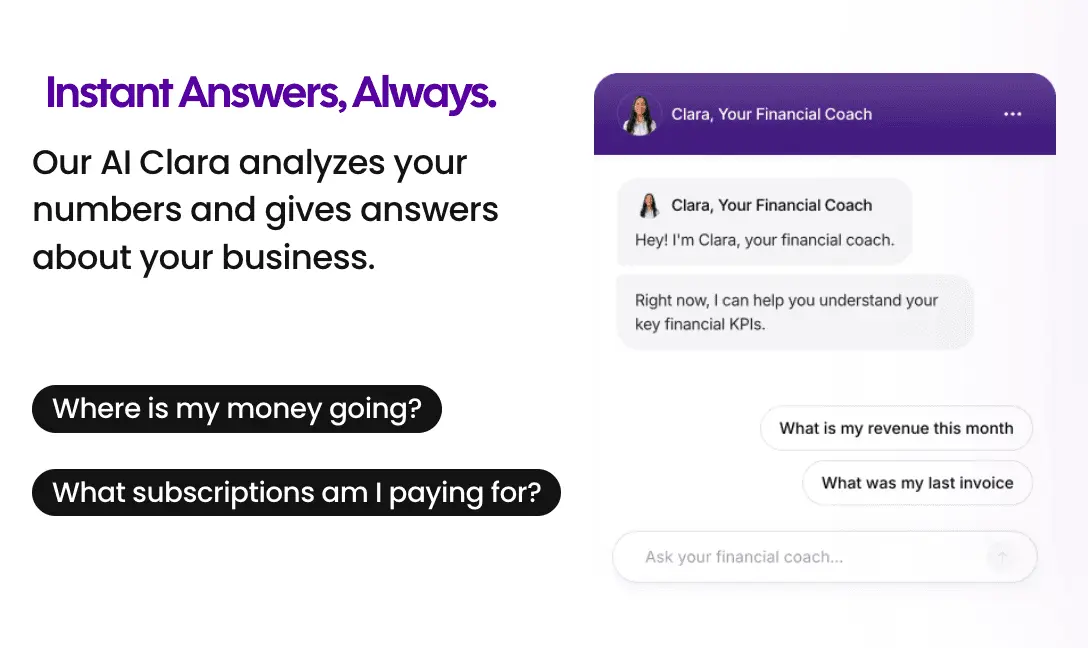
AI Financial Coach (Clara): Clara reads your actual financial data and responds to plain-English questions. "How much can I pay myself this month?" "Is this business actually profitable once I account for my time?" "Why does my bank balance feel tighter than my P&L suggests?" Real answers based on your real numbers, not generic financial advice.
Automated Bookkeeping with Double-Entry Accounting: Transactions come in automatically through Plaid-powered bank connections covering US banks, PayPal, and Wise. Smart categorization handles the routine work. Full double-entry bookkeeping with CPA-ready reports: P&L, Balance Sheet, Trial Balance, and General Ledger.
Owner's Pay Calculator: The number that neither Wave nor Xero surfaces directly. How much you can safely take home this month, calculated from your actual financial position.
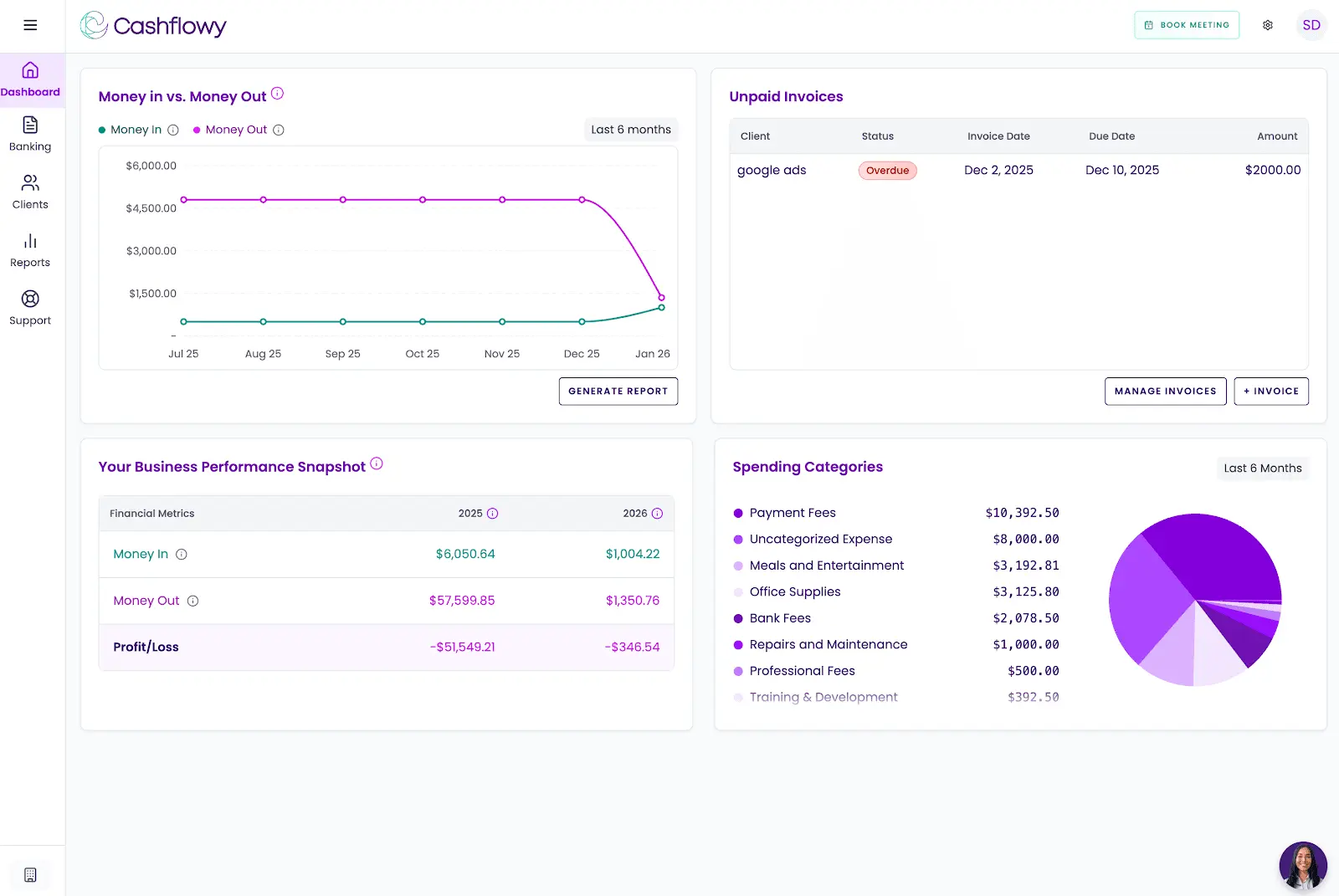
Cashflow Tracking and Real-Time Dashboard: Income, expenses, and trends in a live view. No report to run. No manual refresh needed. The picture is always current.
Auto Bank Reconciliation: Automatic transaction matching keeps your books clean without manual reconciliation on your end.
Client Invoicing and Billing: Branded invoices, one-click payment via Stripe Connect, credit card and ACH. Recurring invoices and automated reminders are on the 2026 roadmap.
Real Bookkeeper Access: Every support agent is a trained bookkeeper. Every new user gets a private onboarding call with an accountant. Support runs Monday through Friday, 6am to 6pm EST, unlimited calls and in-platform chat, with a guaranteed next-business-day response outside those hours. Regular live Profit Breakthrough Sessions are run by the founder and a senior accountant. Your own CPA can log in directly through the built-in team invite feature. All for $39/month, with a free trial and a 30-day money-back guarantee.
What Cashflowy doesn't cover: No inventory, no payroll, no sales tax automation, no time tracking. Plaid-powered bank connections for US banks, PayPal, and Wise. Stripe Connect for invoice payments. CSV and PDF import coming soon. US businesses only. Launched 2024 to 2025, limited review presence on major platforms. If your business genuinely needs the depth of Xero or the zero cost of Wave, those platforms are the honest starting point. But if you're running a one-person operation and still can't get a straight answer about whether the business is working financially, Cashflowy's free trial was built precisely for that gap.
Xero vs Wave vs Cashflowy
| Platform | Best for | Monthly price |
|---|---|---|
| Wave | Early-stage solopreneurs and micro-businesses needing free basic accounting in the US or Canada | $0 to $16/month plus add-ons |
| Xero | Growing businesses needing full accounting depth, unlimited users, 1,000+ integrations, and global reach | $25 to $90/month |
| Cashflowy | Solopreneurs wanting financial clarity with AI coaching, CPA-ready books, and a direct answer on what to pay themselves | $39/month flat |
The Decision, Plainly
Every business starts somewhere. Wave is the right somewhere for a lot of them, and there's no shame in using a free tool well. If your financial needs are genuinely simple, if you're in the US or Canada, if volume is low and your stack is lean, Wave delivers real value at zero cost. Use it until the limits become real obstacles rather than just missing features.
When those limits show up, which they will if the business grows the way you want it to, Xero is the natural next chapter. Unlimited users at a flat rate, 1,000-plus integrations, comprehensive reporting, multi-currency capability, and the kind of accounting infrastructure that doesn't need to be replaced again for a long time. The price increase from Wave to Xero is real. So is what you get for it.
And if what you're really looking for, underneath the feature lists and the pricing tables, is a clear answer about whether the business is actually working in your favor, that's the question Cashflowy exists to answer.
Frequently Asked Questions
What is the main difference between Xero and Wave?
Is Wave genuinely free?
Does Xero work outside the US?
Does the Xero Early plan include unlimited invoicing?
Which platform has better customer support?
Does Xero include payroll?
When does it make sense to switch from Wave to Xero?
Is there a simpler alternative for solopreneurs who don't need either platform's full scope?
Keep reading

Accounting Software for Real Estate Agents: 9 Tools Compared
Compare 9 accounting software options for real estate agents. See how each handles commission splits, mileage, tax readiness and financial reporting.

Best Accounting Software for Freelancers in 2026: 7 Options Compared
Compare seven freelance accounting software options by expense tracking, invoicing, bank feeds, cash flow, tax readiness and key limitations.

Most Practical Self-Employed Accounting Software, Bookkeeping and Finance Tools
Compare the best accounting software and bookkeeping tools for the self-employed. See features, limitations, and which option fits your business.