Best Accounting Software for Freelancers in 2025
A balance sheet isn’t just for big companies, it’s your snapshot of business health. Here’s how to make one from scratch and how to skip the manual work with Cashflowy.
Aug 26, 2025

Heidi DeCoux is the founder of Cashflowy, an AI-powered bookkeeping platform, and has worked with thousands of self-employed professionals to simplify finances and improve profitability.

As a freelancer, your time is money. The more hours you spend stuck in spreadsheets, chasing clients for payments, or stressing over tax season, the fewer hours you have to focus on your craft. That’s where accounting software comes in: it automates the boring stuff, keeps your finances organized, and makes sure you’re prepared for tax season without the panic.
But not all tools are built for freelancers. Some are too complicated, some are too basic, and some are too expensive. So which one is actually worth your time?
This guide breaks down the best accounting software for freelancers—with clear pros, cons, and best-fit recommendations—so you can find the right tool for your business.
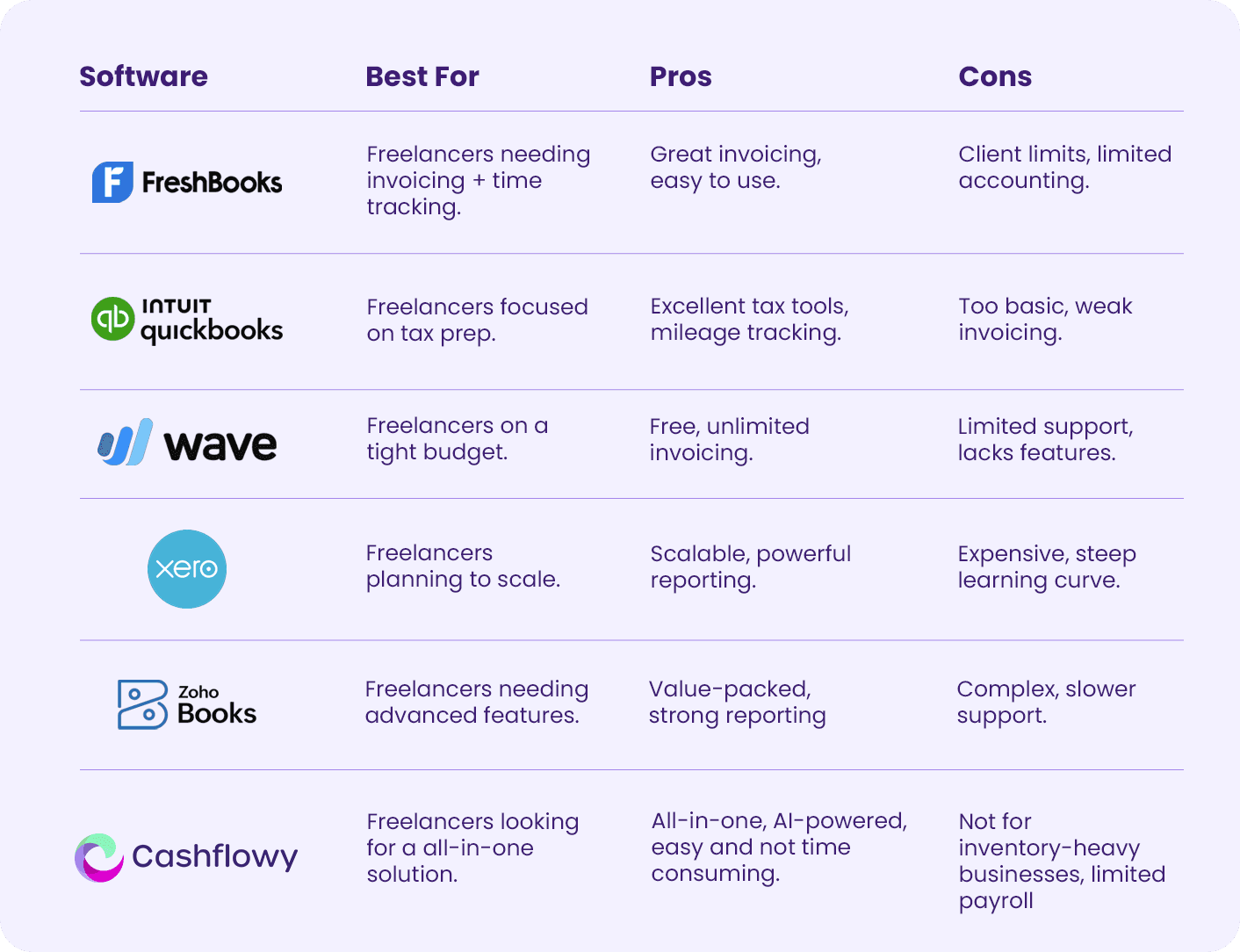
TL;DR: The Top Contenders at a Glance
Why Freelancers Need Accounting Software
Freelancers wear a lot of hats: creator, marketer, project manager, and yes, accountant. While it might feel easier to stick to spreadsheets or chase receipts at tax time, that approach quickly becomes overwhelming. Here’s why the right accounting software is essential:
Save Time on Admin: Instead of spending hours tracking expenses or building invoices manually, accounting software automates the repetitive tasks so you can focus on billable work.
Stay Organized Year-Round: No more digging through emails or folders for client payments and receipts. Everything is stored in one place and accessible anytime.
Get Paid Faster: Professional invoicing, payment reminders, and one-click payment options help you collect money without awkward client follow-ups.
Be Ready for Tax Season: The software automatically categorizes expenses, tracks deductions, and generates tax-ready reports—no last-minute panic in April.
See the Bigger Picture: Beyond day-to-day tracking, accounting tools give freelancers real financial insights (like profit and cash flow), helping you make smarter business decisions.
Simply put, accounting software turns financial chaos into clarity, a must-have if you want to grow your freelance business without burning out.
The 6 Best Accounting Software for Freelancers
FreshBooks
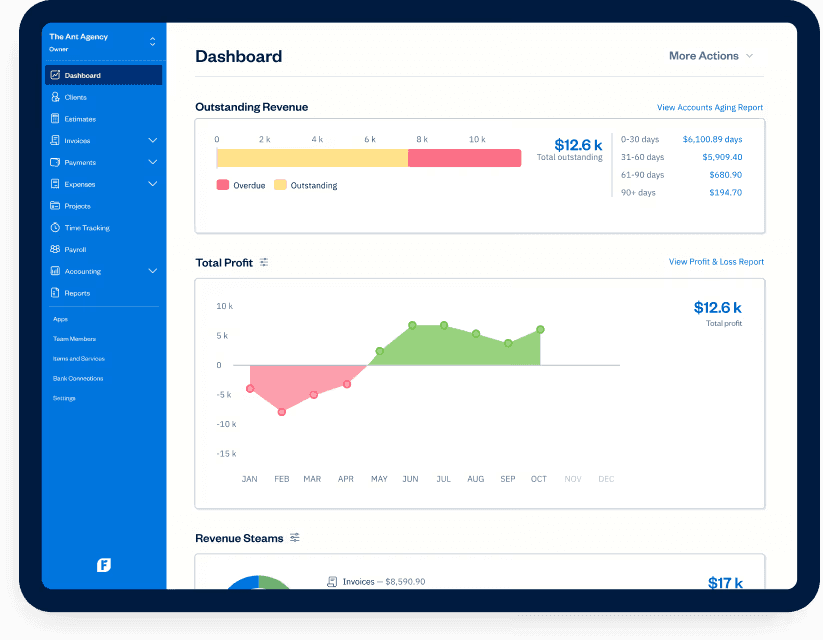
FreshBooks is one of the most recognizable names in the freelance world, especially for service-based professionals. Its strength lies in clean invoicing and time tracking. But while it’s polished and user-friendly, it doesn’t provide the deeper accounting capabilities freelancers often grow into.
Key Features
Professional invoicing with customizable branding.
Built-in time tracking to bill hours easily.
Expense tracking with receipt uploads.
Proposals and estimates that convert to invoices.
Pros
Extremely user-friendly.
Excellent invoicing and billing features.
Strong customer support.
Cons
Client limits on lower plans.
Limited accounting beyond invoicing/expenses.
Best For
Service-based freelancers who mainly need to track time and send invoices.
QuickBooks Solopreneur
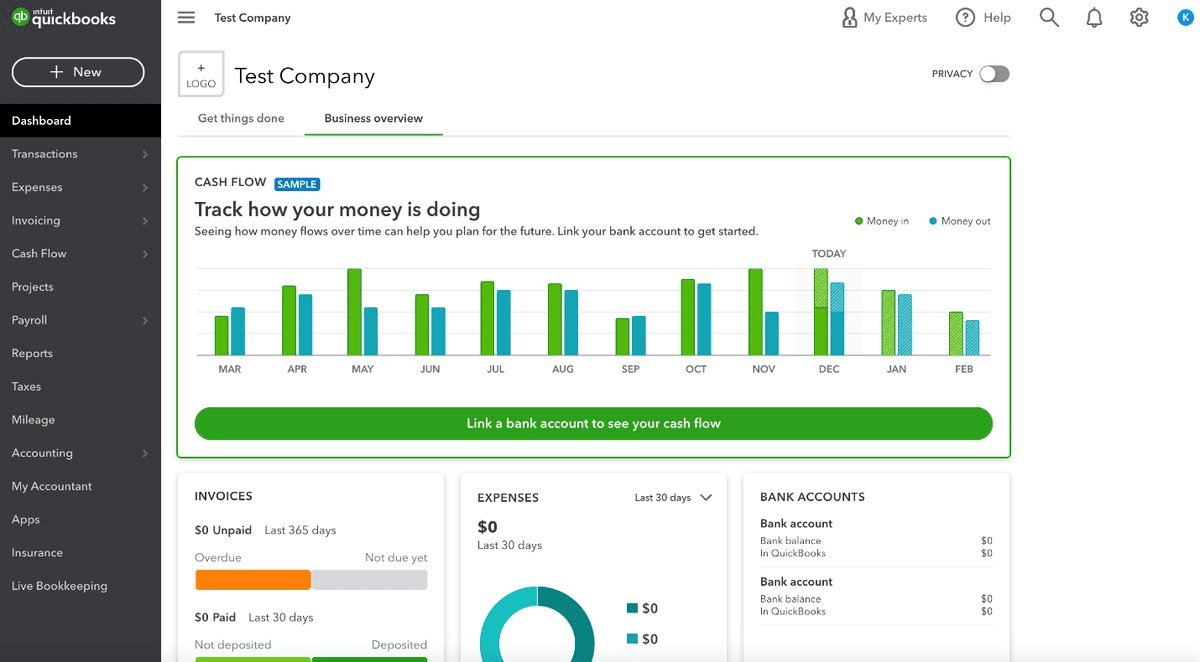
QuickBooks Solopreneur is Intuit’s simplified tool for the self-employed. It’s designed with one priority: making tax prep easy. It’s perfect for tracking expenses and mileage, but falls short for freelancers who want detailed financial clarity.
Key Features
Automatic mileage tracking via GPS.
Real-time tax estimates.
Business vs. personal expense separation.
Simple Profit & Loss reporting.
Pros
Exceptional tax tools.
Seamless TurboTax integration.
Easy-to-use, focused on essentials.
Cons
Very limited invoicing.
No balance sheet or deeper reporting.
Best For
Freelancers and gig workers who want tax simplicity.
Wave
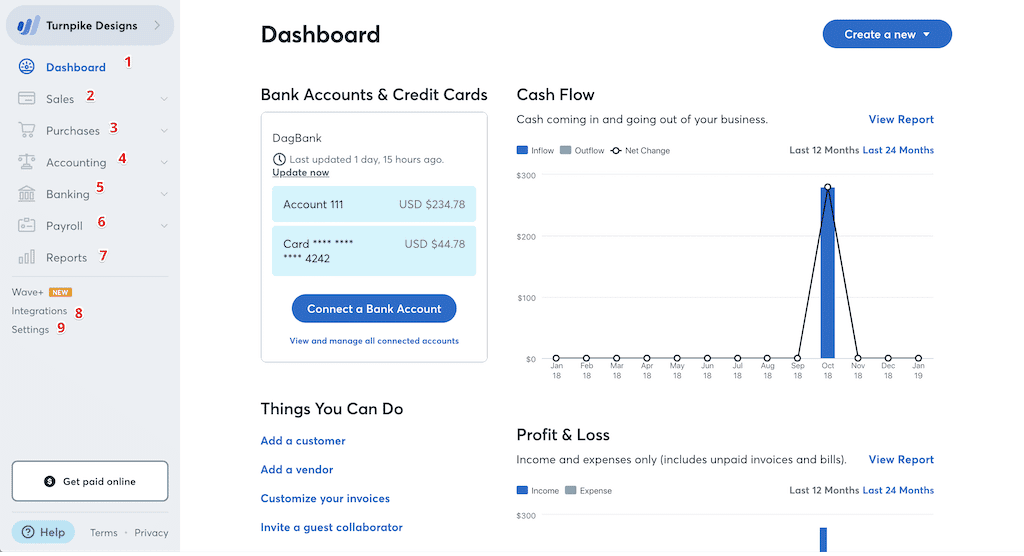
Wave is the budget-friendly pick, offering free accounting, invoicing, and receipt tracking. It’s good for freelancers starting out, but its support and feature set are limited.
Key Features
Unlimited free invoicing and accounting.
Double-entry bookkeeping.
Basic reports (P&L, Balance Sheet).
Built-in payment processing.
Pros
Free.
Simple, intuitive design.
Proper double-entry system for accuracy.
Cons
Limited support for free users.
Few integrations.
Lacks advanced features like time tracking.
Best For
New freelancers or side hustlers on a budget.
Xero
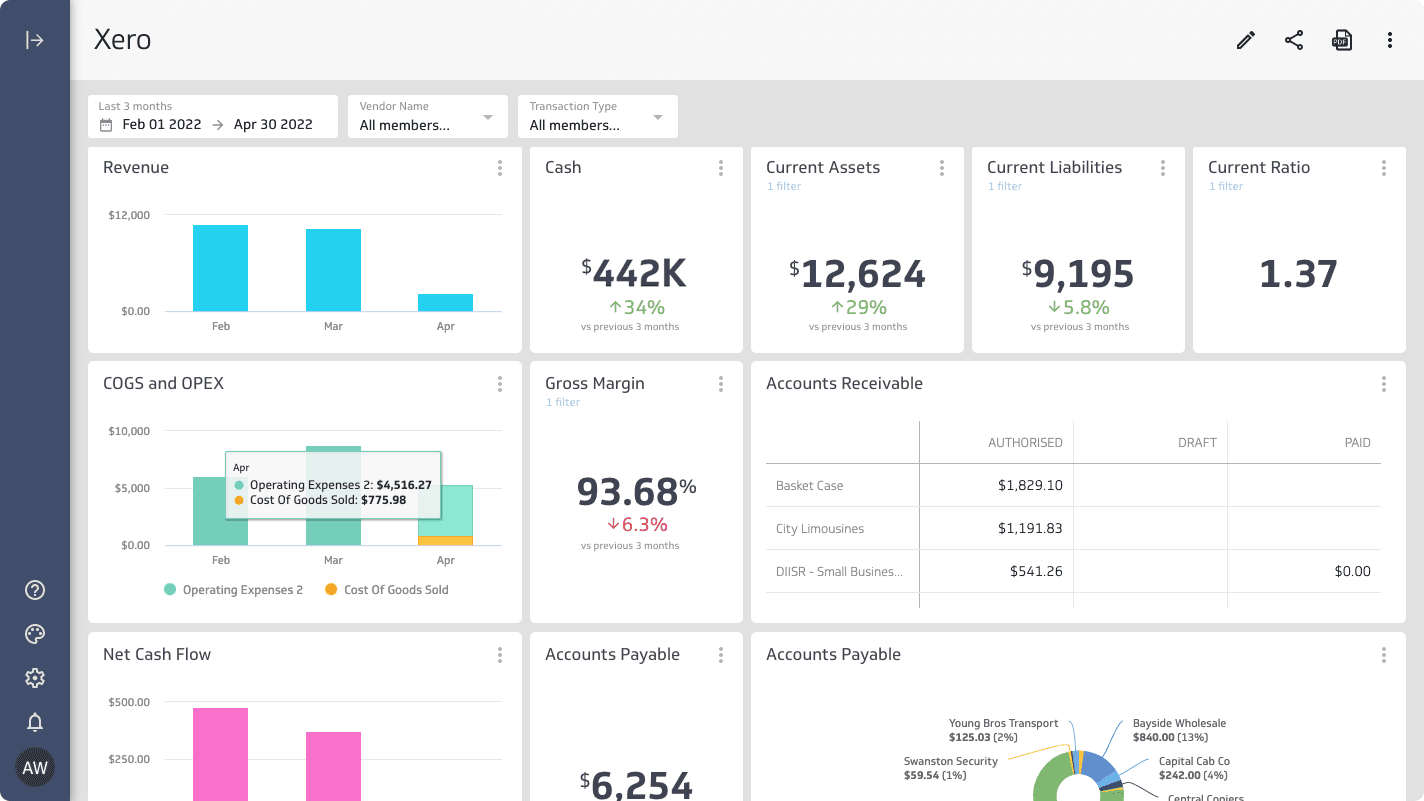
Xero is a scalable, professional-grade tool that works well for freelancers growing into small businesses. It offers strong reporting, automations, and integrations, but can feel overwhelming—and expensive—for a solo freelancer just starting out.
Key Features
Automated bank feeds.
Real-time financial dashboard.
Hubdoc for receipt/bill automation.
Extensive integrations with other tools.
Pros
Scales well with business growth.
Excellent bank reconciliation.
Wide range of integrations.
Cons
Transaction limits on Starter plan.
Higher cost compared to others.
Steeper learning curve.
Best For
Freelancers who expect to scale into a small business.
Zoho Books
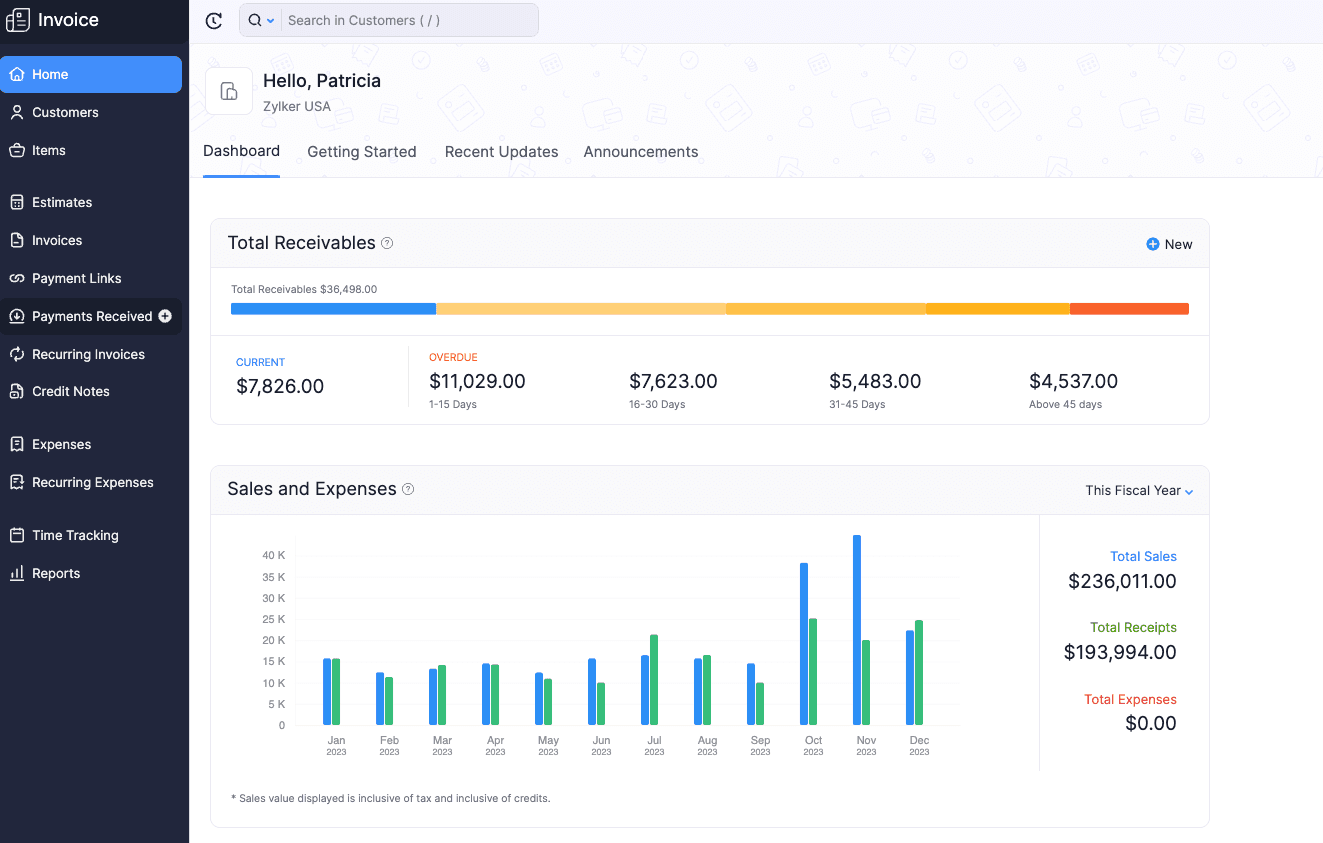
Zoho Books is a feature-rich platform that integrates seamlessly with Zoho’s ecosystem. It’s a good option for freelancers who want advanced features, though finding your way around them can feel overwhelming.
Key Features
Financial management (invoicing, expenses, project billing).
Client/vendor portals for collaboration.
Automations and custom workflows.
70+ reports for detailed insights.
Pros
Free plan option.
Advanced features.
Integrates well with Zoho's ecosystem.
Cons
Steep learning curve for beginners.
Support can be slow.
Best For
Freelances who want advanced features and already use Zoho tools.
Cashflowy
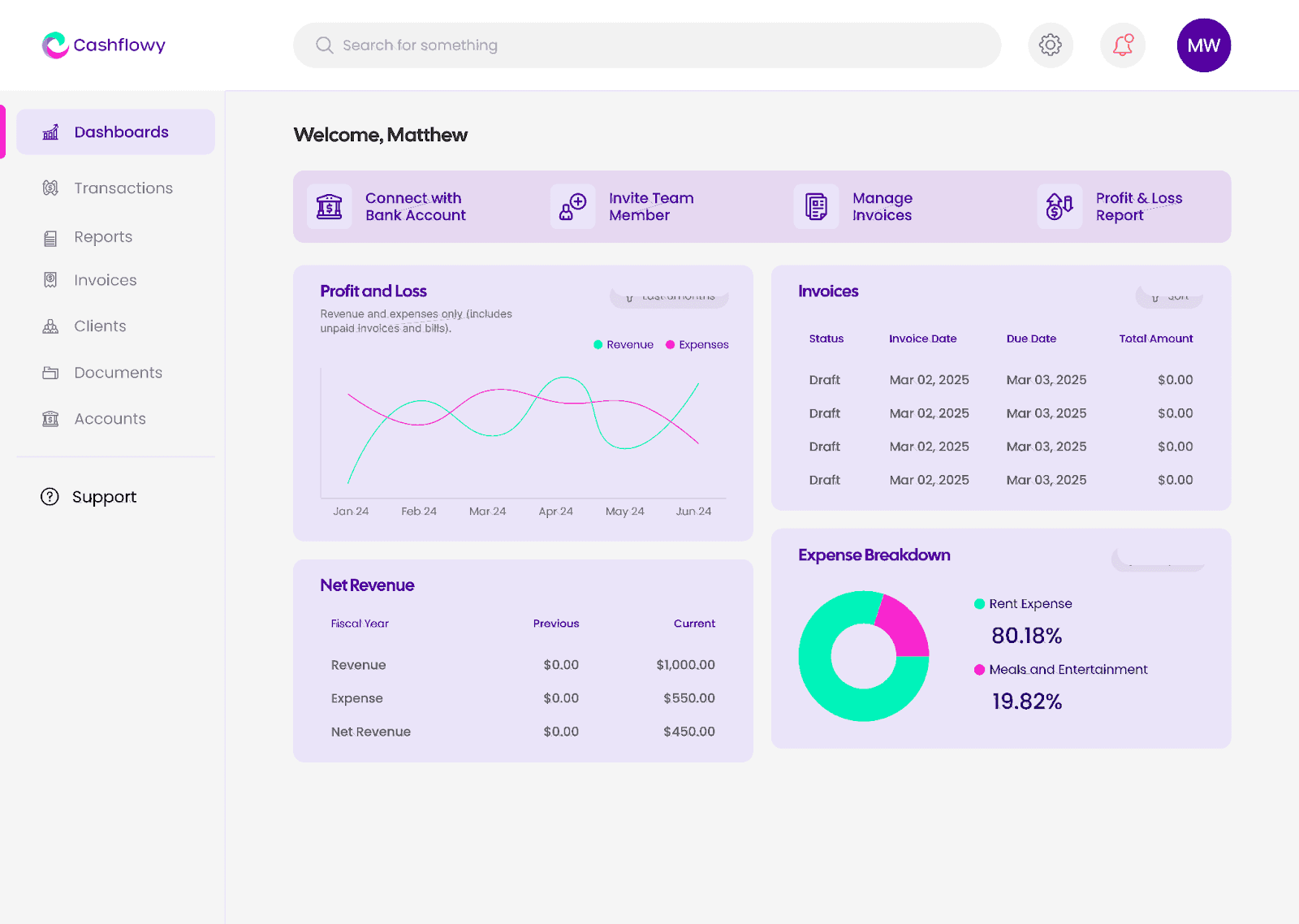
Cashflowy isn’t just accounting software, it’s an all-in-one financial toolkit designed specifically for freelancers. Unlike tools that only handle specific tasks, Cashflowy helps you manage your entire financial life in under an hour a month. From invoicing and overdue tracking to tax-ready reports and AI-powered coaching, it’s built to make money management stress-free.
Key Features
AI-powered bookkeeping with smart categorization.
One-click invoicing with payment tracking.
Real-time Cashflow tracker.
Automated tax-ready reports.
Personalized tips on making—and keeping—more money.
Pros
Built specifically for freelancers.
Combines bookkeeping, accounting, invoicing, and reporting.
Super easy to use, no accounting background needed.
Saves hours every month.
Tailored tips to improve profitability.
2 meetings a year with a human, expert accountant.
Cons
Not built for retail businesses with inventory.
Limited payroll functionality for large teams.
Best For
Freelancers who want to get paid faster and manage all their finances in one place.
Comparison Insights
FreshBooks vs. Cashflowy: FreshBooks shines for invoicing, but doesn’t go deeper. Cashflowy handles invoicing and full financial clarity.
QuickBooks Solopreneur vs. Cashflowy: QuickBooks is great for taxes, but too limited. Cashflowy gives you taxes, invoicing, and reports in one.
Wave vs. Cashflowy: Wave is free, but Cashflowy offers automation, coaching, and real support that Wave lacks.
Xero vs. Cashflowy: Xero scales, but it’s pricey and complex. Cashflowy keeps things simple while still giving solopreneurs everything they need.
Zoho Books vs. Cashflowy: Zoho is powerful, but overwhelming. Cashflowy offers the same all-in-one benefits with less complexity.
Comparison Table
Why Cashflowy Wins
Every tool on this list solves part of the problem. FreshBooks helps you invoice, QuickBooks helps with taxes, Wave is free, Xero scales, Zoho adds features, but Cashflowy solves it all.
With Cashflowy, you can:
Send invoices and track payments.
Generate P&L reports, balance sheets, and tax-ready documents instantly.
Automate bookkeeping with AI.
Have all your finance questions answered with an AI bookkeeper
Get personalized financial coaching.
Track your cash flow for up to 12 months.
Meet with a human accountant twice a year.
Run your finances in under an hour a month.
That’s why Cashflowy is the best accounting software for freelancers; it’s built specifically for you. Try it free today.
FAQs About Freelance Accounting Software
Q: Do freelancers really need accounting software?
Yes. It keeps you organized, helps you maximize deductions, and saves you from last-minute tax panic.
Q: What’s the best accounting software for beginners?
Cashflowy is the best choice for beginners because it’s built specifically for solopreneurs with zero accounting background. Everything is simplified: you can send invoices, track expenses, and see if you’re profitable in seconds, all without learning complicated accounting terms. Plus, it gives you step-by-step coaching tips so you know exactly how to improve your finances.
Wave is also beginner-friendly if you’re looking for a free option, but keep in mind it comes with limited support and fewer features. If you want a tool that’s just as simple but also gives you real financial clarity and growth tools, Cashflowy is the smarter long-term pick.
Q: Which accounting software is best for freelancers on a budget?
Wave is the best free option. But Cashflowy offers the best long-term value since it covers everything you’ll need as you grow.
Q: Can accounting software replace a bookkeeper?
Yes, in many cases. Tools like Cashflowy automate bookkeeping and reporting, reducing the need for an external bookkeeper.
Q: What’s the difference between invoicing software and accounting software?
Invoicing software helps you bill clients. Accounting software covers the bigger picture: income, expenses, taxes, and reporting.
Q: Is Cashflowy better than QuickBooks?
For freelancers and solopreneurs, yes. QuickBooks is designed for accountants and can feel overwhelming. Cashflowy is built for solo business owners—fast, simple, and all-in-one.